Magento 1
and
Magento 2
6 months support
Certified developers
Composer Repository (M2)
Code not encrypted
Protect your Magento backend against unauthorized logins and fraudsters today! Because passwords just aren't secure enough.
Fearing someone could log into your Magento store to download all your orders, customers and other sensitive data? Fearing hackers and the consequences after getting hacked? Fear no more!
Using the Two-Factor Authentication extension by XTENTO, additional security information will be required when logging into the Magento backend. Besides the username and the password, a so called security code (a one-time password, OTP) will be required to log in. The security code gets generated by your smartphone (the second factor). Each security code can be used once only and is valid for 30 seconds only. Hackers won't be able to log in without access to your smartphone.

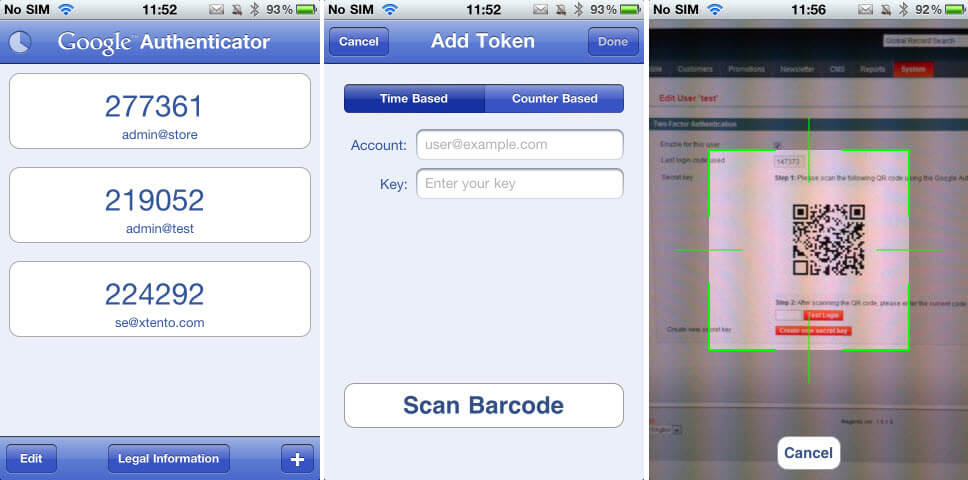
Just turn on your smartphone - open the Authenticator application - and you'll immediately see the security code required to log in, valid for the next 30 seconds only. It's really easy, but the increase in security is immense.
As long as you've got your phone, this will ensure only YOU are able to login, and nobody else. No other person is able to generate the security code as it's generated using a unique secret key only known to your phone. You can't log in if you don't have the security code. You can't log in if you don't have the password. You always need the password and the security code to log in. This makes it almost impossible for hackers to log into your Magento backend.
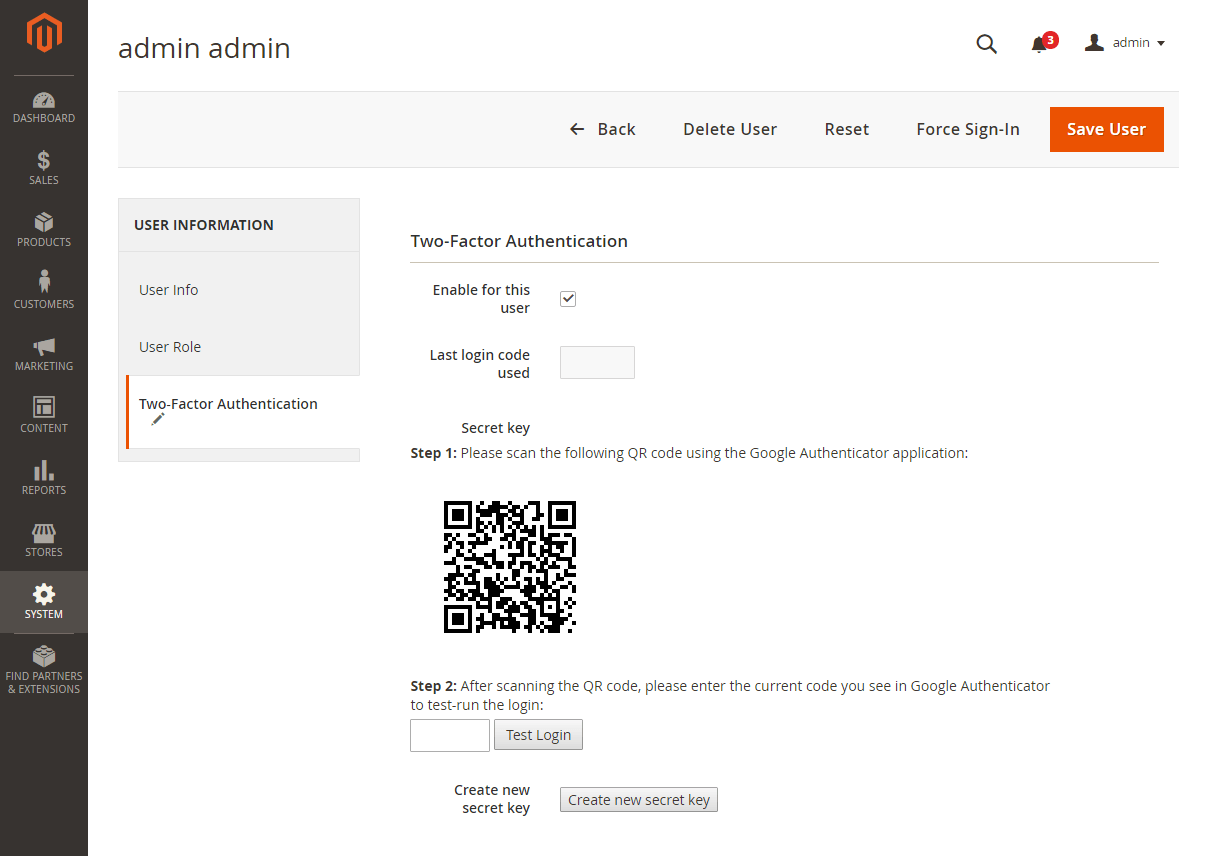
Setting up Two-Factor Authentication for an admin in Magento is easy: Just go to the Users section in the Magento backend, click Create secret key and scan the barcode using the Authenticator application (on the phone of that user). That's it! Your account is now protected against unauthorized logins.
Get the Two-Factor Authentication extension now to protect against today's threats without the hassle and cost of yesterday's technology.
New feature! Disable Two-Factor Authentication for known IP addresses: Simply enter the IP addresses you don't want to use Two-Factor Authentication for in the Magento admin. This especially makes sense if you've got a static IP address and don't want to enter your secret key when logging in from a known and trustworthy IP address.
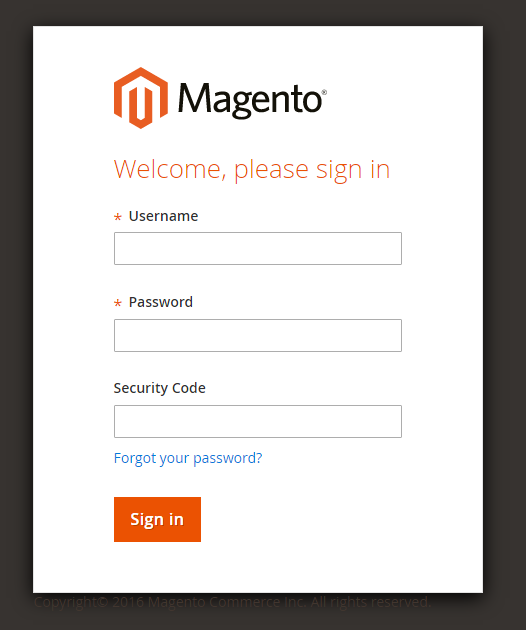
Admin Login Screen (Magento 2)
iPhone Application (Screen 1: Security code generation; Screen 2 & 3: Setting up the code, required once only)
This extension is compatible with recent iPhone, iPad, iPod touch, Android and BlackBerry smartphones. The extension uses the free open-source Google Authenticator application to generate the security code required to log in. The Magento Two-Factor Authentication extension is also compatible with Authy, Duo Mobile, Lastpass Authenticator and Yubico Authenticator.
Before your purchase, please make sure your device is able to run the Authenticator application.
Android: Open the Android Market and search for Google Authenticator
iPhone/iPad/iTouch: Visit the App Store and search for Google Authenticator
BlackBerry: Visit http://m.google.com/authenticator on your BlackBerry
The secret key will only be saved on your smartphone. Neither XTENTO nor Google will be able to recover it. The magic all happens on your device.
If you ever lose your smartphone, be sure to create a new key in the Two-Factor Authentication section under 'Users' in Magento so no one is able to log in using your smartphone.
This extension does not guarantee a 100% protection against hackers. If someone hacks your FTP server, they will be able to disable the security code login, but if that ever happens, they'd be able to download your database anyways without Magento backend access.
For merchants affected by the Google Charts API deprecation: This extension generates the QR code to set up TFA using your smartphone without using the deprecated Google Charts API. It instead generates it locally, in your browser, which is much more secure.
Setting up Two-Factor Authentication for an admin is easy. Just scan the QR code in one of the supported Two-Factor Authentication applications, on the admins phone, and test & enable Two-Factor Authentication for their account.
KevinXtento has very professional extensions for Magento. We have 3 of their extensions, and we have had not issues with any of them. They just all work. Would highly recommend!
We are using this extension in M1 and M2 sites and it works really well adding an additional layer of security for our clients. The installation and setup is really simple and we had only minor issues with server time zone sync to get it to work (not...
Two factor is a must for protecting your back end administration from snooping and prying eye. After researching for two factor extensions, we decided to give Xtento Two-Factor Authentication a try. The installation comes with intuitive installation...
All extensions were built by Magento Certified Developers. Our extensions are not encrypted (no IonCube, Zend Guard, etc.) and not obfuscated. 100% of the extension source code is "open source" and not a single line of code is obfuscated / encrypted.
Easy to install & instant download after your purchase. Our Magento 2 extensions can be installed easily via our composer repository. Detailed installation instructions as well as troubleshooting guides can be found in our Support Wiki.
This extension is available for Magento 1 and Magento 2 and both Community Edition (Open Source) as well as Enterprise Edition (and Cloud & Commerce) are compatible. The Magento 1 version of this extension is also compatible with Magento 1 environments that use OpenMage (LTS). The extension is multi-store compatible and supports Magento instances with multiple websites/stores/store views. All XTENTO extensions are guaranteed not to conflict with each other.
Your purchase includes free development/staging/testing license keys. The license key check in the module works offline, and does not connect to the internet (server-side) to validate the license key.
In case there are any questions or doubts about conflicts/functionality, please do not hesitate to contact us. We will be happy to provide assistance.
We offer a broad range of services that can be added to your order. Don't want to deal with installation or configuration yourself? Our support staff will be happy to help.
Please wait...