Collecting additional order and customer information has never been easier. Easily add as many fields as required to the Magento checkout and store them against the order, customer or customer address. Display collected information in the Magento backend and the orders grid. Supports various field types (text field, text area, checkbox, dropdown, multi select, date, files, ...) and is fully integrated with the Magento 2 API.
Add Custom Order & Customer Attributes In Magento 2
Fully integrated into the Magento Checkout
Add custom fields to the Magento checkout - fully flexible. Create order attributes, customer attributes or customer address attributes. Each of the attributes can be displayed in the Magento checkout. Display your custom attributes in the billing/shipping address, above/below shipping methods, above/below payments methods or above the place order button.
Attributes can be displayed almost anywhere in the checkout
Seamlessly integrated into the Magento 2 checkout
All relevant input types supported
Easily add attributes and select from the following input types:
Text Field / Text Area
Date / Date + Time
Dropdown (Select) / Multi-Select
Yes/No
Radio Buttons
Checkboxes
File Upload
Manage attributes in the backend
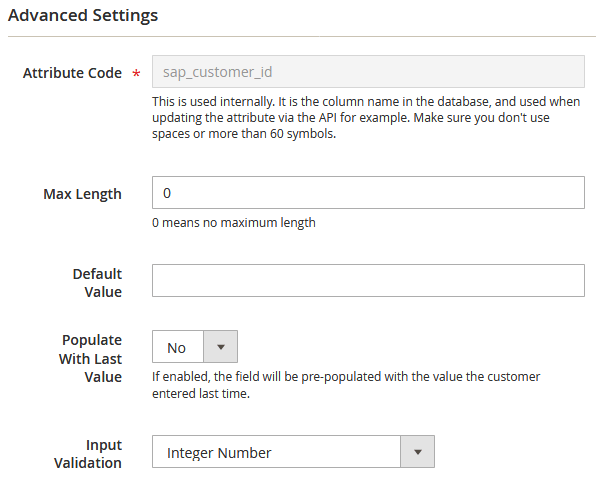
Specify a default value & additional input validation
Specify whether input validation should be applied in the checkout - for example, allow your customers to enter just digits. Specify a maximum length of text your customers may enter. All attributes can be set to a default value if required.
Specify a default value. Add input validation or max-length for values.
Pre-populate attributes with last used value
Save values entered by customers in the past for future checkouts and automatically pre-populate the attribute with the value used last time by the customer
Supports admin order creation
Fully integrated into the Magento backend, when admins create orders in the backend, they can also see and populate the custom attributes you set up. Set up admin-only attributes for internal notes that customers can't see in the frontend.
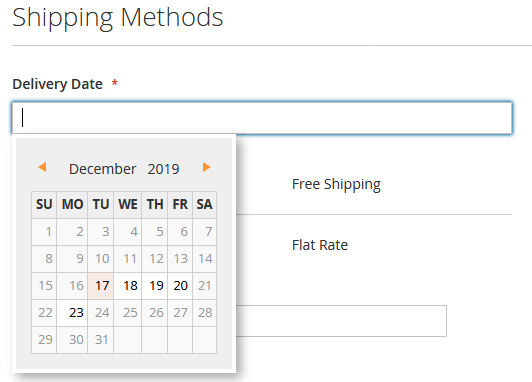
Date & time inputs with calendar support
Create custom attributes that allow your customers or admins to enter date and/or time. Set up delivery date, return date or other date fields in the checkout or the backend.
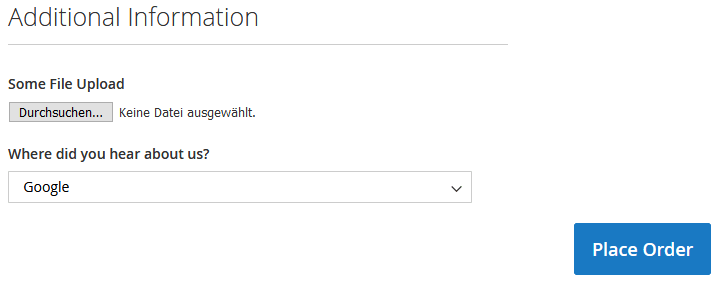
Upload files during the checkout or registration
Give your customers the ability to upload files in the checkout, or have admins upload files for orders/customers in the backend.
Add file upload attributes in the checkout & backend
Multi-Store Compatible
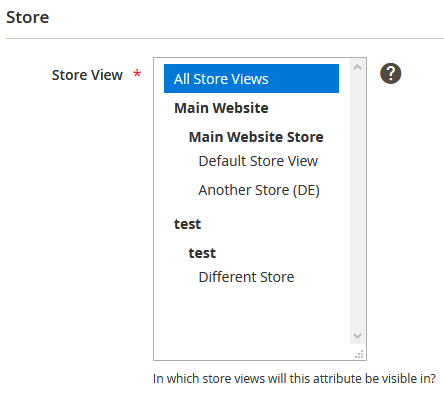
Set up different attributes for your B2B store and your B2C store. All settings and attributes are configurable on a per-store view level, meaning, you can show or hide attributes in store views as required.
Fully configurable on a per-store view level
Developer Friendly Extension
Create custom attributes to store & manage additional data as requested by your customer. Add custom fields to the order, customer and customer address entity so you can, for example, add an attribute to store the ERP order number in Magento. Then, use the API or a custom module to store and easily retrieve from the $order object.
Compatible with Order Export & Order Import
Custom attributes set up using this extension can be exported using our Order Export extension. If you need to import values into custom attributes created using this extension, check out our Order Import extension. Both extensions are fully compatible with custom attributes and are able to export/import values of such attributes.
Collect additional order & customer related information
Add fields to capture additional business information. Give your shoppers the ability to specify a delivery date and comment or have them answer marketing questions. Also suited for B2B stores - request documents in the checkout and have your customers upload them directly in the checkout.
Order, Customer & Customer Address Attributes
A combined solution to add custom attributes to the three entities:
This extension supports managing custom attributes for three entities out of the box - no need to purchase three separate extensions. Add as many attributes as required. There is no limit.
Show (or hide) attributes in the frontend and backend:
Checkout (Frontend)
My Account / Customer (Frontend)
Customer Registration (Frontend)
My Orders / Order View (Frontend)
Order Creation (Backend)
Sales > Orders Grid (Backend)
Sales > Orders Detail (Backend - show and edit them!)
Customers > Customers (Backend - show and edit them!)
Customers > Customers > Address (Backend - show and edit them!)
Order PDF
Sales E-Mails
Display custom attributes in the backend & the Sales > Orders grid
Order attributes can be displayed in the Sales > Orders grid. Easily spot "special" orders. Order attributes are editable by opening the order and editing the attribute values, if required.
Show (or hide) additional order attributes in the sales orders grid
Show and edit attribute values when viewing an order in the backend
Control visibility & show attributes in PDF documents
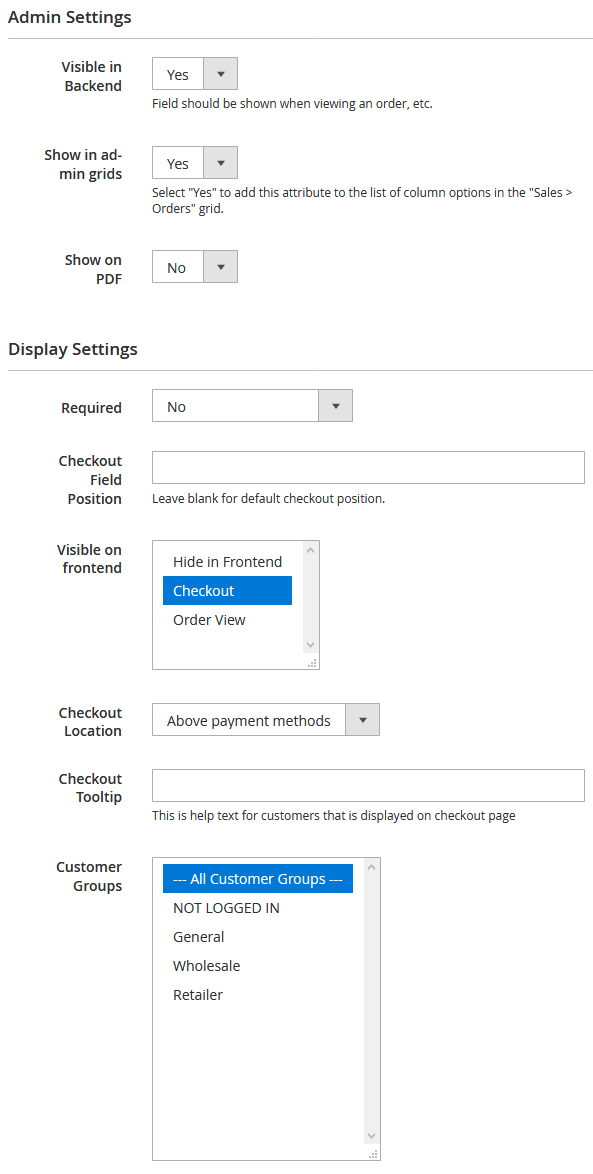
For each attribute you create, you can select where it will be displayed. Be it in the admin only, or in the frontend/checkout and the backend. Define the checkout location, add a tooltip or specify that the attribute shall be shown for certain store views or customer groups only. Make the field mandatory or optional.
Control where attributes are shown. Create admin-only attributes. Show on PDFs/print outs.
Add flags & checkboxes to orders
Add checkboxes to orders to add additional order states or phases. Add a checkbox whether the customer has been called (after-sales) after they received the order, capture satisfaction, etc. Also great for custom reports or "how did you find us" fields in the checkout. The possibilities are endless.
Ability to hide attribute in frontend/backend
Need to add an attribute just to store some kind of internal information, imported for example using our Tracking Import extension? Not a problem at all. Simply set up an admin-only attribute.
Customer Attributes: Visible & editable by the customer
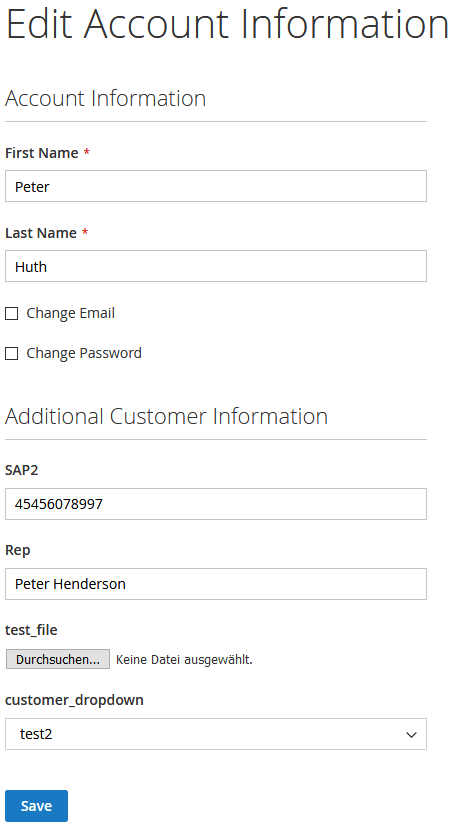
Customer attributes are fully integrated into the "My Account" section. Customers can see and update customer/customer address attributes there. Or, you can also specify that attributes are read-only and cannot be updated by customers. Customer and customer address attributes are also visible and editable in the backend.
Customer attributes - editable/visible for the customer at "My Account"
Set and retrieve attribute values via the Magento 2 API. No matter if you're developing a custom module within Magento, you can access the extension attributes easily. Or if accessing Magento from outside, utilize the Magento 2 Web API to set and retrieve custom order and customer attributes created using our extension.
Be sure to check out the demo environment
...and set up as many custom attributes as required. Check out the frontend as well, and add attributes to the checkout: Click here
Compatibility Notes
Please be aware that third party one page checkout modules are most likely not compatible. The extension was built for the standard Magento checkout primarily. So far unsuccessfully tested: Mageplaza Checkout
We previously used the Amasty order attribute extension but ended up switching to Xtento because 1) In addition to just order attributes we can create customer and customer address attributes, and 2) The menu location is much more intuitive. The...
All extensions were built by Magento Certified Developers. Our extensions are not encrypted (no IonCube, Zend Guard, etc.) and not obfuscated. 100% of the extension source code is "open source" and not a single line of code is obfuscated / encrypted.
Easy to install & instant download after your purchase. Our Magento 2 extensions can be installed easily via our composer repository. Detailed installation instructions as well as troubleshooting guides can be found in our Support Wiki.
This extension is available for Magento 2 and both Community Edition (Open Source) as well as Enterprise Edition (and Cloud & Commerce) are compatible. The extension is multi-store compatible and supports Magento instances with multiple websites/stores/store views. All XTENTO extensions are guaranteed not to conflict with each other.
Your purchase includes free development/staging/testing license keys. The license key check in the module works offline, and does not connect to the internet (server-side) to validate the license key.
In case there are any questions or doubts about conflicts/functionality, please do not hesitate to contact us. We will be happy to provide assistance.
We offer a broad range of services that can be added to your order. Don't want to deal with installation or configuration yourself? Our support staff will be happy to help.
Extended Configuration Support: Want us to make the initial configuration of your purchased extension? Or simply know you'll need configuration/customization time? Then you'll want to add this service to your order. (Contact us before your purchase to discuss exact scope of work and whether it is covered by this service)
 Magento 2
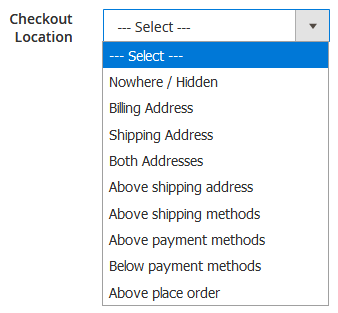 Attributes can be displayed almost anywhere in the checkout
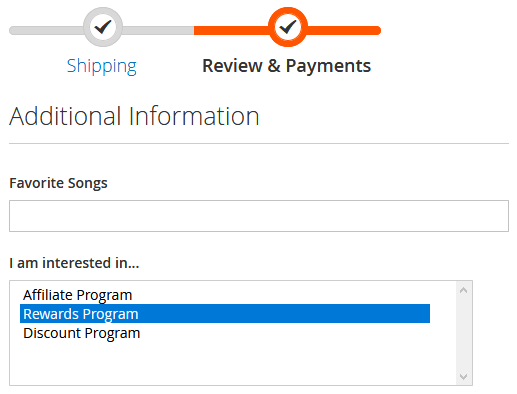 Seamlessly integrated into the Magento 2 checkout

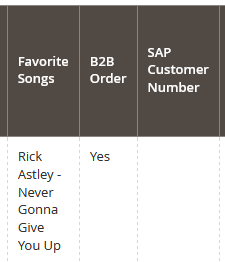 Show (or hide) additional order attributes in the sales orders grid