Add new tracking carriers with custom tracking URLs in Magento, disable default tracking methods and make tracking links in emails clickable for your customers. All using the Custom Carrier Trackers extension by XTENTO.
Out of the box, Magento offers just four tracking methods: DHL, UPS, USPS and FedEx. That's often not enough. In case you want to add custom tracking methods to Magento, because you're shipping using a custom carrier and want your customers to be able to track their orders shipped using these custom carriers, this is the extension you're looking for.
This extension gives you the ability to set up 30 new tracking carriers in Magento. The carrier/tracking name and the tracking URL is fully customizable and configurable.
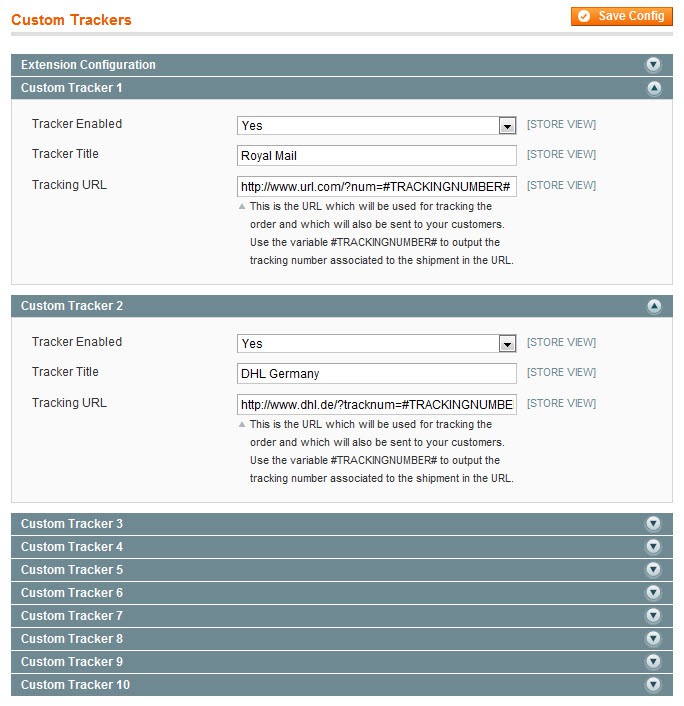
Each tracker is fully customizable, easily change the name and tracking URL as required.
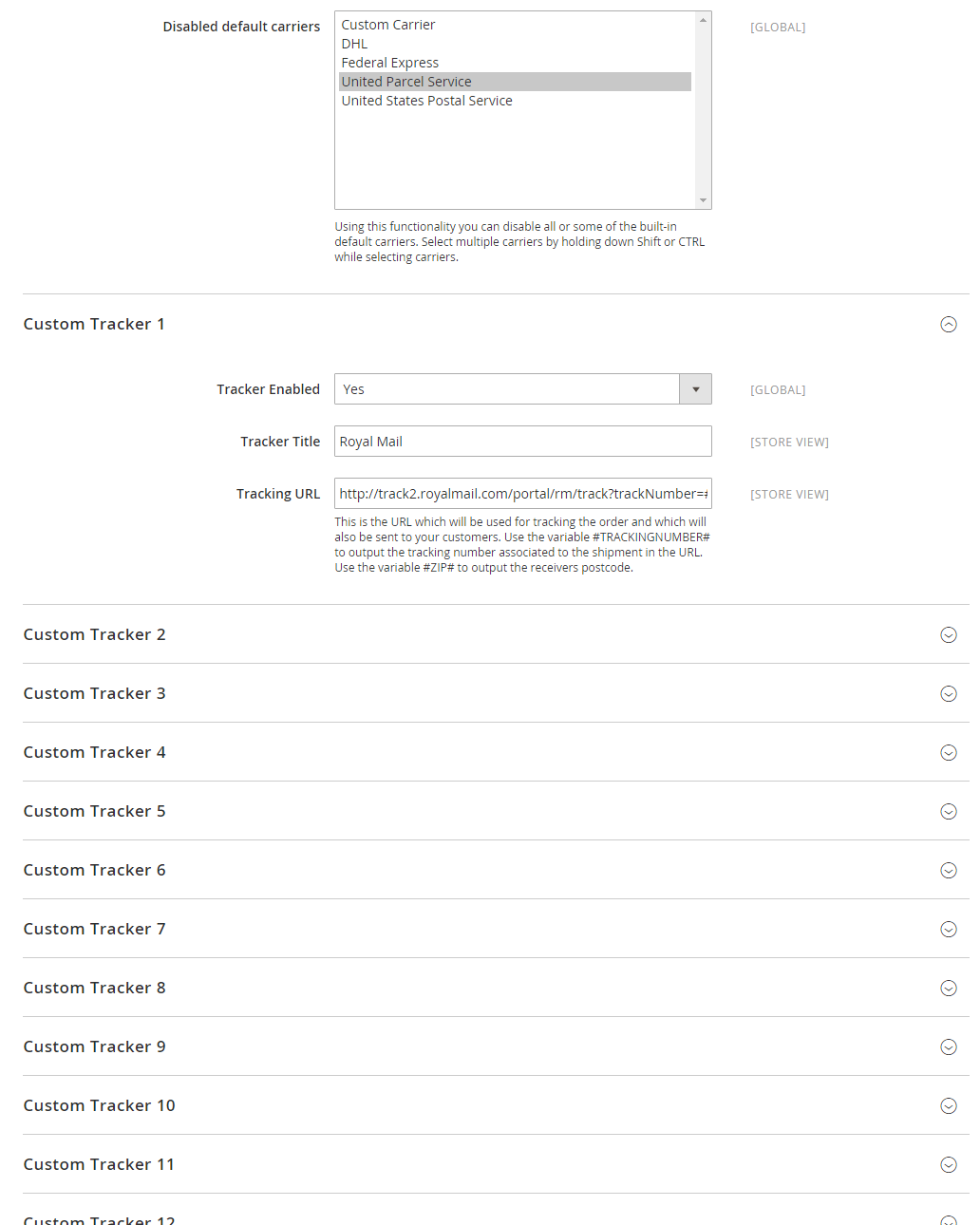
Easy configuration, configure up to 30 trackers
Comes with a list of known tracking URLs of popular carriers
Includes more than 30 tracking links of popular carriers. See below for full list.
Create shipments in backend or via the Magento API
In addition to adding tracking numbers in the Magento backend, you can also add tracking numbers via the API and your custom tracking link will be used.
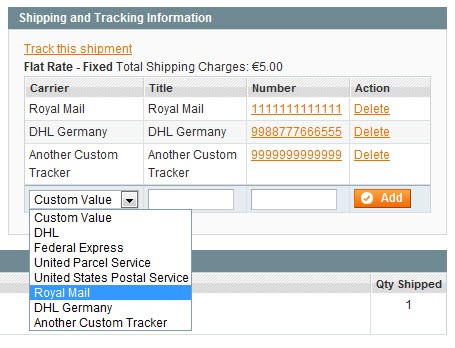
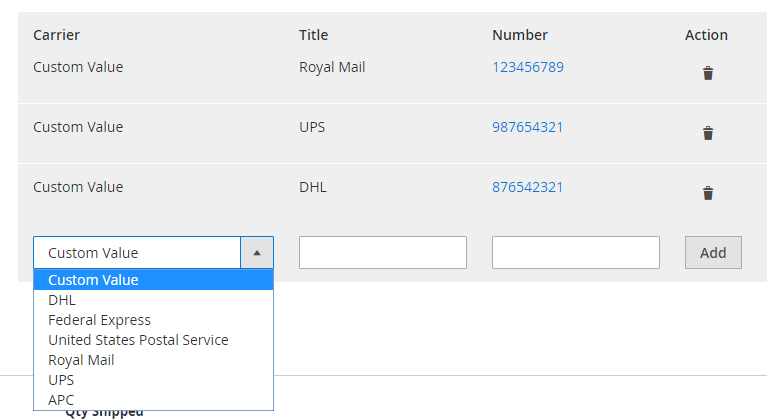
New trackers are visible in backend and frontend
Add variables in the tracking URL
Several variables can be embedded in the tracking link, which are automatically replaced when clicked or sent to the customer. Send tracking links to your customers that immediately show tracking information when clicked. Available variables: Tracking Number, Postcode, Order Number, Firstname, Lastname, Country Code, Day, Month, Year
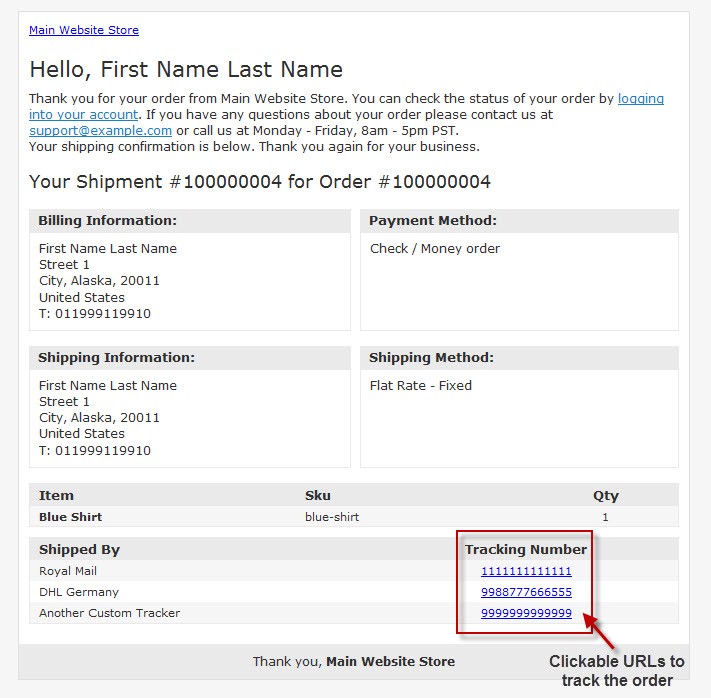
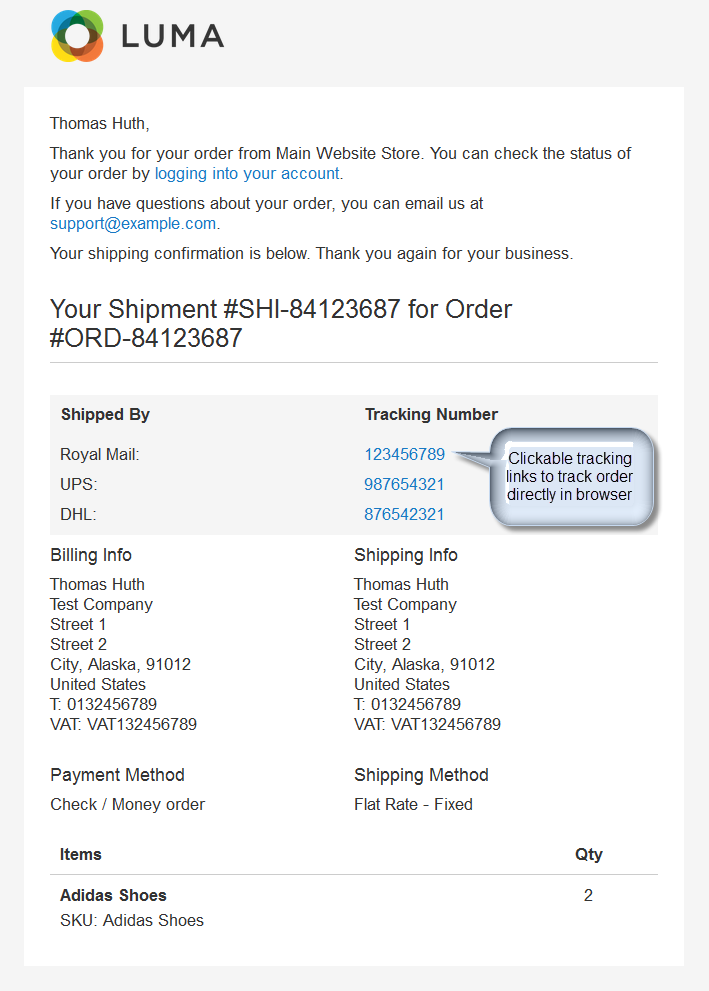
Give your customers the ability to track their order directly from the shipment email
Emails sent to customers include a clickable tracking link, directing them straight to the carriers tracking page.
Tracking links in emails are clickable
Default Magento tracking methods can be disabled and hidden
Want to disable DHL/UPS/USPS/FedEx? No problem. Just disable them in the extensions configuration.
"Track Order" link in the Magento admin links to tracking URL and not the tracking popup
"Track Order" in
customer account section shows a clickable tracking link as well.
More Details
The tracking number gets replaced in the tracking URL automatically, just use the
#TRACKINGNUMBER# variable and the actual tracking number will show up in the tracking URL. It is also possible to output the recipients postcode in the tracking URL by using the
#ZIP# variable. No need to use the non-trackable default "Custom" tracker anymore.
By setting up the carriers tracking URL, you will give your customers the ability to track their orders directly from the shipment email they receive. This very important feature does not work out of the box in Magento.
It is also possible to disable and hide all or some of the default Magento tracking methods (UPS, USPS, FedEx, DHL) using this extension.
An example tracking URL used for a custom tracking method with a replaceable tracking number variable would be:
http://nolp.dhl.de/nextt-online-public/set_identcodes.do?lang=de&idc=#TRACKINGNUMBER#
The recipients postcode can be output in the tracking URL as well. Just use the
#ZIP# variable. Example tracking URL:
http://www.postnlpakketten.nl/klantenservice/tracktrace/basicsearch.aspx?lang=nl&B=#TRACKINGNUMBER#&P=#ZIP#
Included carriers / tracking links
The extension comes with a list of popular carriers and their respective tracking links:
United States (Fedex, UPS, USPS, YRC)
Canada (Canada Post, Canpar, FedEx, Purolator)
United Kingdom (Business Post, City Link, DHL, DPD, Fastway, Fedex, HDNL, Hermes, Interlink Express, Royal Mail, Parcel Force, TNT, UK Mail, UPS, Yodel)
Germany (DPD, DHL, GLS, Hermes, UPS)
The Netherlands (DPD, GLS, TNT, Post NL)
Italy (Bartolini, Fedex, TNT, UPS)
Australia (Startrack)
Brazil (Correios)
Ireland (GLS, Fastway)
...and many more - updated frequently.
Not sure if your carrier supports dynamic tracking URLs? Looking for the tracking link? Get in touch, we'll be happy to help.
Watch the video: Extension Walkthrough (2 mins)
Frequently Bought Together
This extension is also compatible with our Simplify Bulk Order Processing and Tracking Number Import extensions. Custom tracking methods added using this extension can be used for bulk shipping and imported tracking numbers.
The Xtento Custom Carrier Trackers extension does exactly what we need without any issues. We've since started working with a development agency and they've recommended Xtento extensions as among the best for Magento 2.
Had a small trouble with installation but contacted support and Jiri fixed me right up. Great customer service and the extension works great!!!!! Perfect for adding custom Carrier Trackers with a live link for customers.
All extensions were built by Magento Certified Developers. Our extensions are not encrypted (no IonCube, Zend Guard, etc.) and not obfuscated. 100% of the extension source code is "open source" and not a single line of code is obfuscated / encrypted.
Easy to install & instant download after your purchase. Our Magento 2 extensions can be installed easily via our composer repository. Detailed installation instructions as well as troubleshooting guides can be found in our Support Wiki.
This extension is available for Magento 1 and Magento 2 and both Community Edition (Open Source) as well as Enterprise Edition (and Cloud & Commerce) are compatible. The Magento 1 version of this extension is also compatible with Magento 1 environments that use OpenMage (LTS). The extension is multi-store compatible and supports Magento instances with multiple websites/stores/store views. All XTENTO extensions are guaranteed not to conflict with each other.
Your purchase includes free development/staging/testing license keys. The license key check in the module works offline, and does not connect to the internet (server-side) to validate the license key.
In case there are any questions or doubts about conflicts/functionality, please do not hesitate to contact us. We will be happy to provide assistance.
We offer a broad range of services that can be added to your order. Don't want to deal with installation or configuration yourself? Our support staff will be happy to help.
XTENTO Installation Service: A XTENTO representative will install the extension for you in one Magento installation. Installation will be completed within a couple hours during business hours usually.
Extended Configuration Support: Want us to make the initial configuration of your purchased extension? Or simply know you'll need configuration/customization time? Then you'll want to add this service to your order. (Contact us before your purchase to discuss exact scope of work and whether it is covered by this service)
 Magento 1
and
Magento 1
and
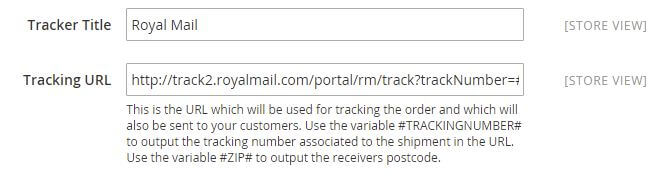 Easy configuration, configure up to 30 trackers
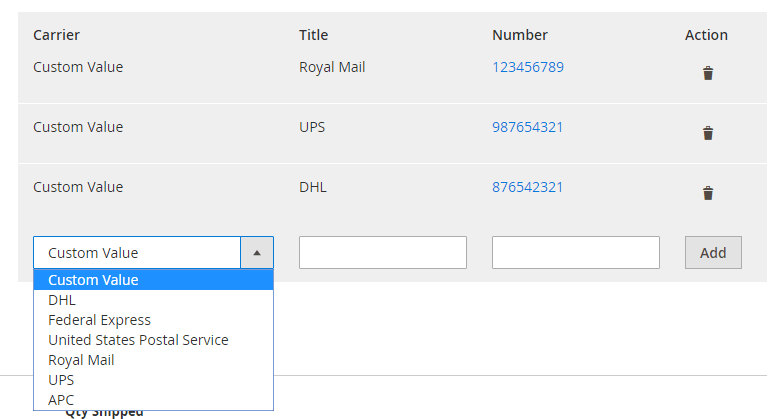 New trackers are visible in backend and frontend
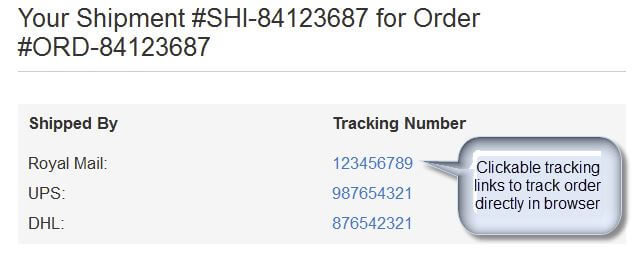 Tracking links in emails are clickable